
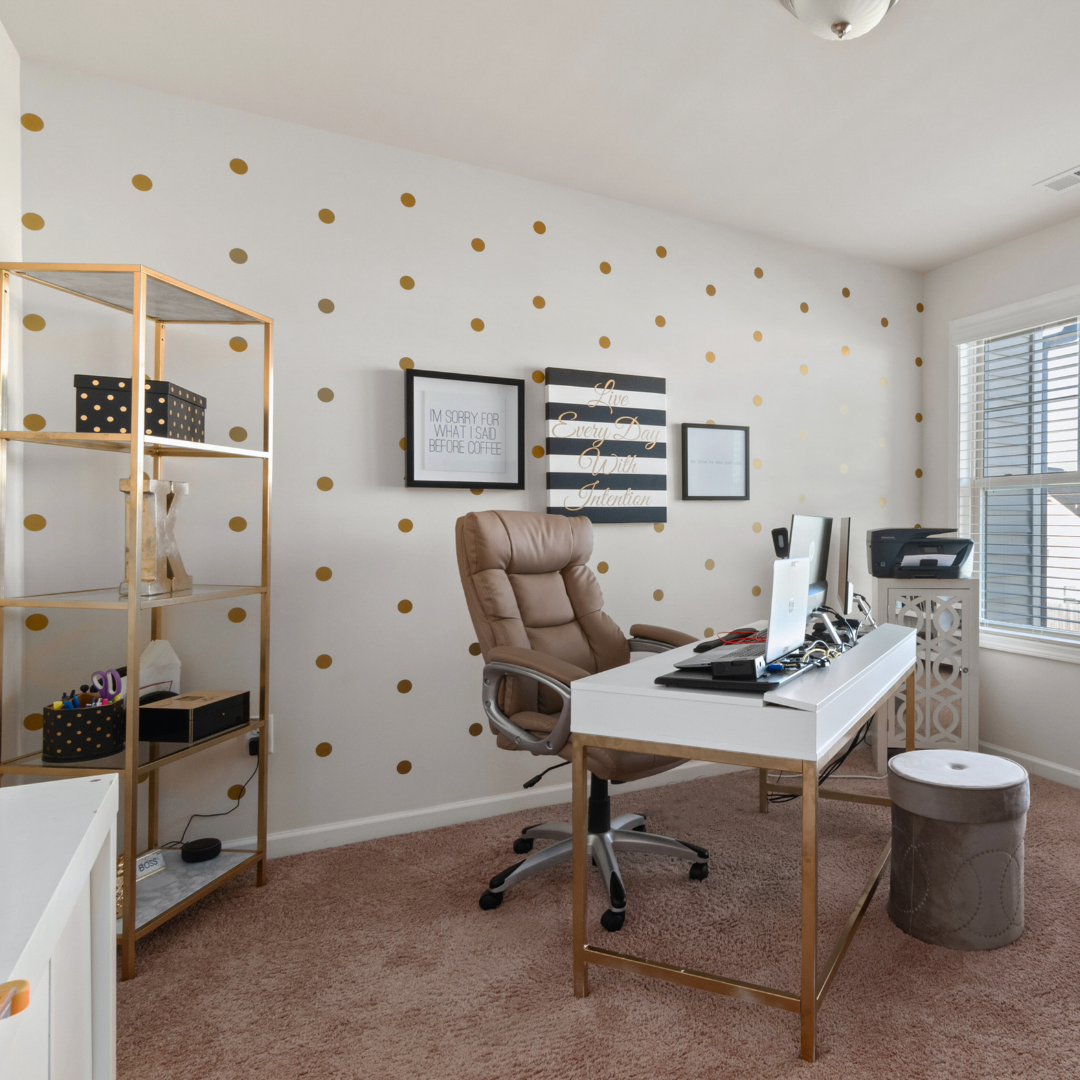

Building a home office that combines functionality with style requires thoughtful planning and practical choices. It’s not just about fitting a desk and chair into a room; it’s about creating a space that supports productivity while reflecting personal taste. The key is to balance ergonomic furniture, effective organisation, and tasteful décor to suit both work demands and aesthetic preferences.
Choosing the right layout and lighting plays a crucial role in making a home office both practical and inviting. Adequate storage, minimal distractions, and easy access to technology enhance efficiency, while design elements like colour and texture help create an inspiring environment.
A well-designed home office improves focus and comfort, making daily tasks feel less like a chore. Attention to detail in these areas turns any space into a productive and stylish work zone.
Planning Your Home Office for Functionality and Style
Creating a home office requires attention to practical needs and aesthetic choices. Balancing these elements ensures a workspace that supports productivity while reflecting personal taste. Key factors include defining the workspace’s purpose, choosing the right location, and designing an efficient layout.
Defining the Purpose of Your Workspace
The first step is identifying the primary activities the workspace must support. For example, will it be used mainly for computer work, video calls, or paperwork? This influences the type of furniture and equipment needed, such as ergonomic chairs, desks with cable management, or additional shelving.
Understanding the purpose helps prioritise features. A graphic designer may need colour-accurate lighting, while someone handling finances may benefit from filing systems. Defining clear work boundaries also prevents distractions and supports a work-life balance when working from home.
Selecting an Ideal Location in Your Home
Choosing the right location involves considering noise levels, natural light, and space availability. A quiet corner away from household traffic is essential for concentration and uninterrupted calls. Rooms with windows offer daylight, which improves mood and reduces eye strain.
Accessibility matters too. The workspace should be close to necessary resources like the kitchen or bathroom, but not so near that interruptions increase. Homeowners should also assess electrical outlets and Wi-Fi strength when selecting a location for their home office.
Creating a Logical and Flexible Layout
A well-organised layout promotes efficiency and adaptability. Position desks near power sources and windows for comfort and convenience. Arrange frequently used items within easy reach to reduce clutter and maintain focus.
Incorporating multi-functional furniture, like desks with adjustable heights or storage units on wheels, allows the workspace to evolve based on changing needs. Clear pathways and zoning for different tasks, such as computer work and storage, help keep the environment organised and stress-free.
Essential Furniture and Ergonomics
A practical home office requires furniture that supports comfort, health, and style. Focus on key elements like seating, desk choice, and how to arrange the workspace to enhance efficiency without causing strain.
Choosing an Ergonomic Chair
An ergonomic chair prioritises lumbar support, adjustable height, and seat depth to maintain proper posture. It should have a backrest that follows the natural curve of the spine and supports lower back pressure.
Armrests must be adjustable to prevent shoulder tension, and the seat should allow feet to rest flat on the floor or on a footrest. Materials matter; breathable fabric or mesh helps reduce heat build-up when sitting for long periods.
A swivel feature and smooth casters improve mobility, allowing easy repositioning without strain. Durability and warranty also indicate chair quality and comfort longevity.
Selecting the Right Desk for Your Needs
The desk height should suit the user’s height to keep elbows at a 90-degree angle during work. A sit-stand desk is recommended for flexibility, enabling alternation between sitting and standing throughout the day.
Workspace size must accommodate essential items like a computer, keyboard, mouse, and documents, without cluttering. Storage options such as drawers or shelves help keep the desk organised and reduce distractions.
The desk surface should be smooth and sturdy. Material and colour choices influence style and maintenance; for instance, laminated wood resists scratches and is easy to clean.
Configuring for Comfort and Productivity
Desk and chair positioning should allow the monitor’s top to be at eye level, about an arm’s length away. This reduces neck strain and improves viewing comfort over extended periods.
Lighting is critical; natural light is ideal, complemented by adjustable task lighting to reduce eye fatigue. Screen glare should be minimised through window blinds or anti-glare screen covers.
Position frequently used items within arm’s reach to avoid repetitive stretching. Cable management solutions prevent clutter and potential hazards, enhancing both safety and tidiness.
Intelligent Storage Solutions and Organisation
Effective storage and organisation enhance both the practicality and appearance of a home office. Thoughtful integration of shelving, clever storage options, and consistent tidiness create a productive and inviting workspace.
Incorporating Built-In Shelving
Built-in shelving maximises vertical space while maintaining a clean look. It offers customised storage tailored to specific items such as books, files, or decorative objects. Shelves can be placed above desks or along walls to keep the floor clear.
Using adjustable shelves adds flexibility to accommodate items of various heights. Choosing materials like wood or metal can complement the room’s style. Built-in shelving reduces clutter by providing a designated place for everything, making essential items easily accessible.
Implementing Smart Storage Solutions
Smart storage solutions use technology and design to simplify organisation. Examples include cable management systems to keep wires tidy and multi-functional furniture with hidden compartments.
Desk organisers with labelled sections improve workflow by separating stationery and gadgets. Modular storage units can be rearranged as needs change. Smart storage optimises limited space while ensuring items remain orderly and easy to find.
Maintaining a Clutter-Free Environment
Regular decluttering prevents the accumulation of unnecessary items that disrupt focus. Implementing daily habits, such as clearing the desk at the end of the day, supports ongoing organisation.
Using clear containers or labelled boxes helps quickly identify contents without opening them. It is important to establish zones for different tasks or materials, avoiding overlap. Maintaining order requires a consistent routine but significantly enhances functionality and style.
Lighting, Colour, and Finishing Touches
Effective lighting, balanced colour schemes, and considered décor choices enhance both functionality and style in a home office. These elements create comfort, improve focus, and reflect personal taste while meeting practical needs.
Maximising Natural Light in Your Office
Natural light is the most beneficial light source for a home office. Positioning the desk near a window allows for abundant daylight, reducing reliance on artificial lighting during work hours. It also supports alertness and moods.
Use light, translucent curtains to soften glare without blocking sunlight. Reflective surfaces like mirrors or light-coloured walls help bounce natural light deeper into the room. Avoid placing bulky furniture or dark objects by windows, as these can obstruct light flow.
Sheer blinds or adjustable shutters, from https://asterex.com.au/ offer control over light intensity and privacy. An uncluttered windowsill keeps light unobstructed and maximises the workspace’s brightness naturally.
Layered Lighting for Different Work Tasks
A layered lighting approach combines ambient, task, and accent lighting to adapt to various needs. This flexibility prevents eye strain and maintains visual comfort throughout the day.
Ambient lighting provides general room illumination, often from ceiling fixtures or recessed lights, creating a base level of brightness. Task lighting focuses directly on work areas, such as a desk lamp, providing clarity for reading or detailed work.
Accent lighting enhances visual interest or highlights specific décor elements. This might include wall sconces or LED strips. Each layer should have adjustable options like dimmers to tailor light levels according to the task or time of day.
Selecting Warm Neutrals and Personalising Décor
Warm neutrals create a calm, welcoming atmosphere that suits most working environments. Shades like beige, taupe, soft grey, and cream reduce harsh contrasts and contribute to a soothing backdrop.
These colours pair well with wooden finishes, natural fibres, and green plants, providing texture without overwhelming the space. They also allow more flexible accents, from bold artwork to patterned cushions.
Personal touches such as framed photos, favourite books, or unique stationery boost motivation and make the office feel inviting. The key is balance: keep the space uncluttered while reflecting individual style.
Choosing Effective Task Lighting
Task lighting focuses on illuminating specific work areas without causing glare or shadows. A desk lamp with adjustable arms and brightness levels offers the best control.
LED desk lamps are energy-efficient and provide consistent, flicker-free light. Choose lamps with a colour temperature around 4000K for a neutral white light that supports concentration.
Position task lighting so it does not cast shadows on the work surface—in general, right-handed people should place lamps on the left, left-handed people on the right. This arrangement optimises visibility while preventing hand shadows during writing or typing.